Always-on setup
Your systems keep working when you close your laptop, or leave town.
Free. 20 minutes, no pitch deck, you leave with a plan either way.
The problem
“My agents stop the moment my computer goes to sleep.”
Day to day
You get a text if something needs you. When it needs a direct click, you handle it from wherever you are.
What it does
- Just a laptop? A cloud computer can run your agents with your laptop closed.
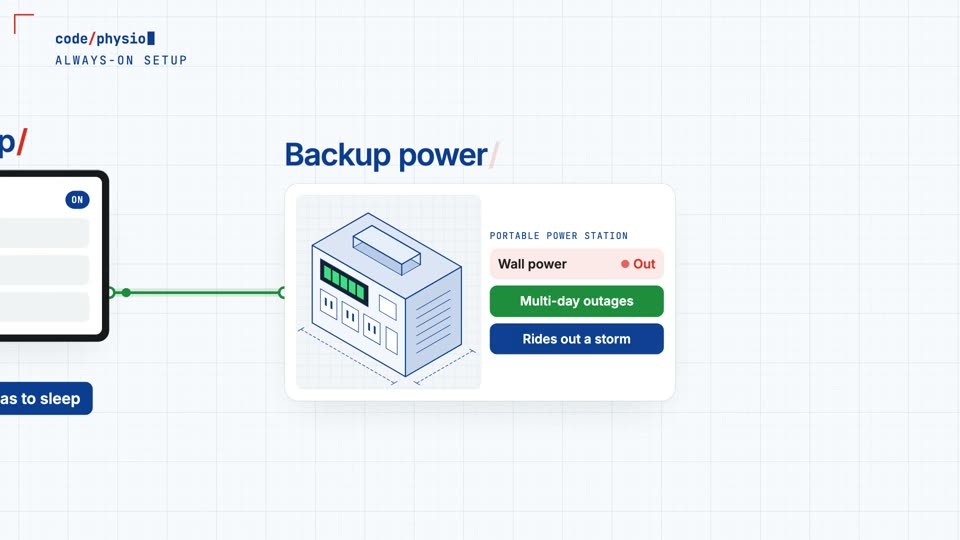
- Or use a desktop that never sleeps, with a portable power station behind it.
- A watchdog restarts anything that stops, and auto-restart brings everything back after a power loss.
- Tailscale gives you remote control from anywhere, and Claude can text you updates.

Time, money and revenue
Included in
An add-on. It can be one of your add-ons in Foundation or Expanded, and it’s included in Full Stack.
Read what the video says
Your agents can only work while their computer stays on, and there are two ways to do that. Just have a laptop? A cloud computer can run your agents with your laptop closed, and that's a very viable option. But the always-on setup is your command center, starting with a desktop that never has to sleep. A portable power station sits behind it, and it can outlast multi-day power outages and ride out a storm. Plug your wifi router in too, and it doesn't skip a beat. Want the next level? Starlink satellite internet keeps you online, even if the power grid and your local internet lines go down. And if you want this system to outlast anything, your power station can take solar panels directly, so it could run completely off grid. A watchdog keeps your programs running smoothly and restarts anything that stops, and auto-restart turns everything back on if your desktop restarts or loses power. And through Channels, Claude can text updates right to your phone, so if something needs your attention, you know right away. Then Tailscale gives you remote control of that desktop, from anywhere in the world. So when something needs a direct click, you can handle it yourself. Do your work, run updates, sign in to logins, or troubleshoot, without having to physically be home. It handles demanding work like video editing, and more of your information stays on your own machine. Vacationing just got easier. Work from anywhere, and still have access. Book a free consult, and see what this could do for your clinic.
Twenty minutes. One plan.
Bring the two jobs that eat your week. You’ll leave knowing which systems fit and what they cost.
Book a 20-minute call →Free. 20 minutes, no pitch deck, you leave with a plan either way.